




- May 27, 2026
- Post by: Drop That Code
- Post by: No Comments
The 3-3-3 rule in marketing: how to apply it on your website for more leads

If your homepage has seconds to win a lead, what should it say and show? The 3-3-3 rule gives you a simple, repeatable way to turn attention into action without guesswork.
In this guide, you will learn exactly what the 3-3-3 rule is, how to apply it to your hero section, calls to action, and mobile UX, and how to sanity check your layout with quick wireframe sketches. You will also get headline formulas, microcopy tips, and a practical checklist tailored to Toronto service businesses. If you want a pro to review your site, there is a free audit invite at the end.
What the 3-3-3 rule means

The 3-3-3 rule is a conversion heuristic for websites and landing pages:
- 3 seconds to understand your value: Above the fold, a visitor should grasp who you are, what you do, and why it matters in roughly three seconds.
- 3 benefits above the fold: List three clear, outcome-focused benefits near the hero. Do not bury them.
- 3 ways to act: Offer three easy actions that map to different stages of intent, such as call now, get a quote, or see pricing.
Used together, these constraints push you toward sharp messaging, focused design, and faster decisions. They fit naturally with conversion rate optimization and responsive web design since they are about clarity, hierarchy, and mobile-first usability.
Put the first 3 to work in your hero

Your hero is where the first three seconds are won or lost. Aim for a plain-language headline plus a short subhead that anchors your offer to a buyer outcome.
Headline formulas you can try:
- We help [audience] get [primary outcome] without [common pain]
- [Service] in [city] that [specific benefit] in [time or quality qualifier]
- Get [result] with [service], built for [segment]
Example hero copy:
- Headline: Fast, conversion-focused website design in Toronto
- Subhead: Launch a mobile-first site that loads fast, ranks locally, and turns clicks into calls.
- Proof strip: Trusted by Toronto service businesses for 10+ years
Microcopy tips:
- Replace vague claims with specifics. Instead of “quality service,” try “ready in 2 weeks on average” or “Core Web Vitals tuned.”
- Front-load verbs. “Book a free audit” reads faster than “Request an audit booking.”
- Keep line length short for scannability, ideally 45 to 65 characters per line on desktop.
Show exactly three benefits above the fold

Pick three outcome-oriented bullets that speak to pain relief, speed, or revenue. Place them near your primary call to action so the value and the action reinforce each other.
Good benefit examples:
- Faster load times on mobile for lower bounce
- Clear paths to call, book, or buy
- Local SEO fundamentals set up correctly
Avoid feature lists that dilute the point. If you must mention features, connect each to an impact. For example, “Schema and local SEO, so your services appear clearly in Google.”
Offer three ways to act, matched to intent

Not every visitor is ready to buy. Your three CTAs should serve high, medium, and low intent.
- High intent: Call now or book today
- Medium intent: Get a quote or schedule a consult
- Low intent: See pricing, view work, or download a checklist
CTA microcopy guidelines:
- Make the action and outcome explicit: “Get a free Toronto website audit” beats “Submit.”
- Reduce perceived risk: Add “no obligation” or “takes 2 minutes” where honest and accurate.
- Use contrast and proximity: Buttons should be visually distinct and placed near the headline and benefits.
Mobile UX that supports 3-3-3
On small screens, attention is fragile. Prioritize one-swipe clarity.
- Keep the headline visible without truncation. Test on a common device width.
- Ensure tap targets are at least 44 px tall with generous spacing.
- Use sticky actions wisely, such as a bottom “Call now” or “Get quote” button.
- Limit form fields to essentials. Name, email or phone, and one qualifier is often enough.
- Load fast on LTE conditions. Compress images, defer non-critical scripts, and lazy load below-the-fold assets.
For a deeper dive into responsive choices that keep pages user-friendly, you can explore practical guidance on building a user-friendly site in Toronto at Drop That Code’s resource page.
Before and after wireframe sketches you can follow

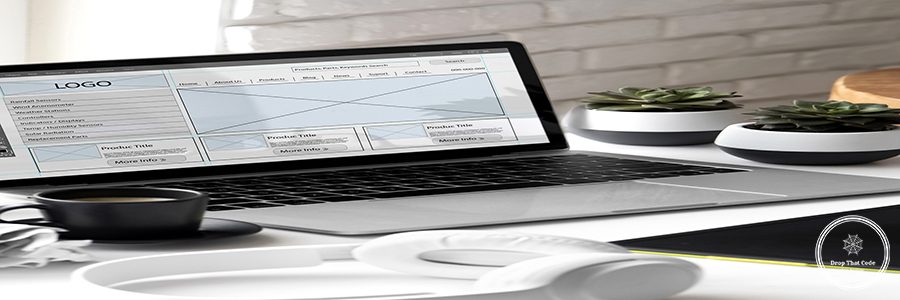
Think of these as text-based blueprints you can hand to a designer or use in a builder. They show hierarchy, not final visuals.
Before (cluttered and unclear):
- Logo | Menu | Social icons
- Big stock image with vague headline: “We build digital experiences”
- Paragraph block explaining history
- Single “Learn more” link
- Carousel of mixed services
- Footer with six columns of links
After (3-3-3 aligned):
- Logo | Simple menu | High-contrast “Get a free audit” button
- Hero: “Fast, conversion-focused website design in Toronto”
- Subhead: “Mobile-first builds with local SEO and clear CTAs.”
- 3 benefits: “Loads fast on mobile,” “Clear paths to book,” “Local SEO setup”
- Primary CTA: “Book your free Toronto audit”
- Secondary CTA: “See pricing and timelines”
- Tertiary CTA: “View recent work”
- Trust strip: “Over 10 years helping Toronto service brands”
- Proof: logos or review count
Mobile variant:
- Sticky bottom bar with “Call now” and “Get a quote”
- Collapsed hamburger menu with only 4 to 5 items
- Benefits as short, single-line bullets
- CTA buttons stacked, first primary, then secondary
How this ties to CRO and responsive web design

CRO is about removing friction between interest and action. The 3-3-3 rule forces decisions about what matters most in the first view, then gives aligned actions that fit intent levels. Responsive web design ensures those decisions hold up on any device: flexible grids, readable type, fast loads, and touch-first controls. Combine both and you often see better engagement, more qualified form fills, and a healthier flow from Google Ads, organic search, and referrals into booked calls.
If you want examples of layouts that balance aesthetics with performance, see Drop That Code’s perspective on what makes the best website design compelling for real users, not just search engines.
Checklist for Toronto service businesses

Use this quick pass before you publish a new homepage or landing page:
- Can a stranger say what you do and who you serve after 3 seconds?
- Are exactly three benefits listed above the fold and tied to outcomes?
- Do you offer three actions for different intent levels?
- Is the primary CTA visible without scrolling on mobile and desktop?
- Are forms short, and does the button copy make the outcome clear?
- Do pages load quickly on mobile data, and are tap targets large enough?
- Are local proof points present, such as “Serving Toronto and the GTA” or Google review snippets?
- Is your Google Business Profile linked or referenced where it makes sense?
Quick answers to common questions

If you want a partner to translate these frameworks into a conversion-focused site with semantic SEO baked in, book a chat with Drop That Code. We help Toronto businesses define identity, design fast sites, and build topic clusters that earn visibility. If you need deeper discovery or a fully custom build in the GTA, start with a quick consultation and an action-ready plan. You can also see how we approach custom web design in Toronto when brand strategy and SEO need to move in step.
Gentle next step

If you want a second set of eyes on your hero, CTAs, and mobile flow, request a free audit from Drop That Code. You will get practical, prioritized fixes for clarity, speed, and conversions. If you are planning a refresh or a custom build in Toronto, you can also explore our custom web design approach to see how we pair design with measurable outcomes.
Internal links referenced:
- Guidance on user-friendly design: https://snow-trout-160257.hostingersite.com/user-friendly-website-toronto/
- Best website design perspective: https://snow-trout-160257.hostingersite.com/blog/best-website-design/
- Google Ads with conversion alignment: https://snow-trout-160257.hostingersite.com/
- Toronto agency insights: https://snow-trout-160257.hostingersite.com/blog/web-design-agencies-toronto/
Custom web design approach: https://snow-trout-160257.hostingersite.com/